
Expenses, the daily sheet and closing the day
Record an expense
Open Expenses (menu, Quick actions) and tap add.
- Choose the category: delivery fuel, staff or labour, cylinder repair, vehicle maintenance, shop supplies, utilities, shop rent, loading and unloading, or miscellaneous.
- Type the amount, how you paid, who you paid, and a note if you want.
- Save.
Expenses are listed by month and by category. They are used in your daily cash and in the profit report. You can edit or delete an expense.
Note: Buying gas from a supplier is not an expense. Record it under Stock received. Expenses are for the cost of running the shop.
The daily sheet
Open Daily in the bottom bar. The first time each day the app asks you to Open Day: type the Cash at start, the money in your drawer when you begin.
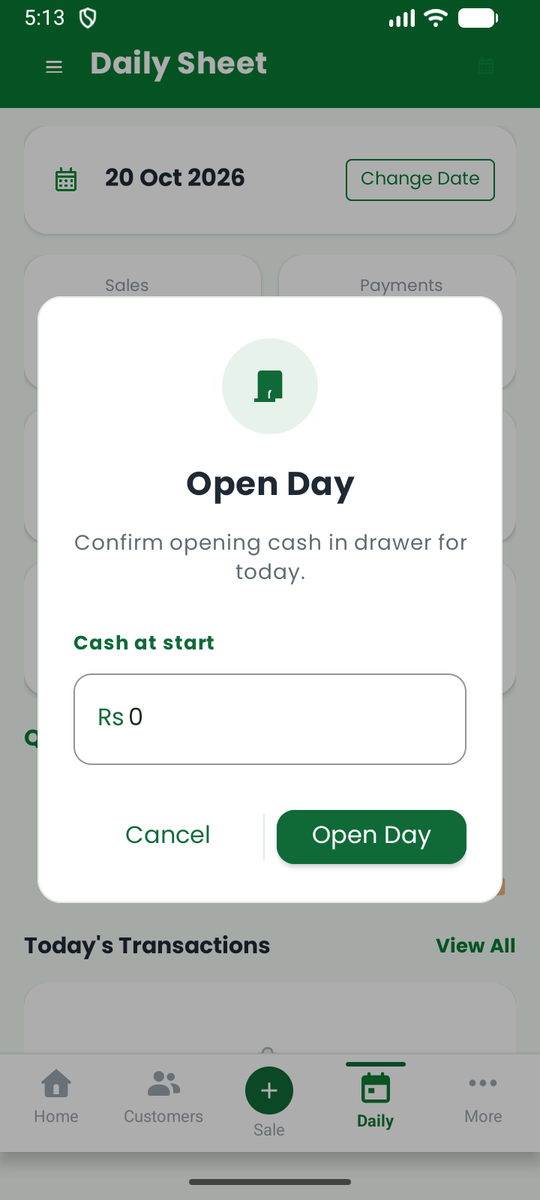
The Daily sheet is a summary of one day:
- Cards for Sales, Payments, Delivered, Returned and Due Today.
- The cash you should have: opening cash, plus cash received, minus cash expenses.
- Quick Actions: New sale, Payment, Ledger and Export.
- Today's Transactions, every transaction of the day.
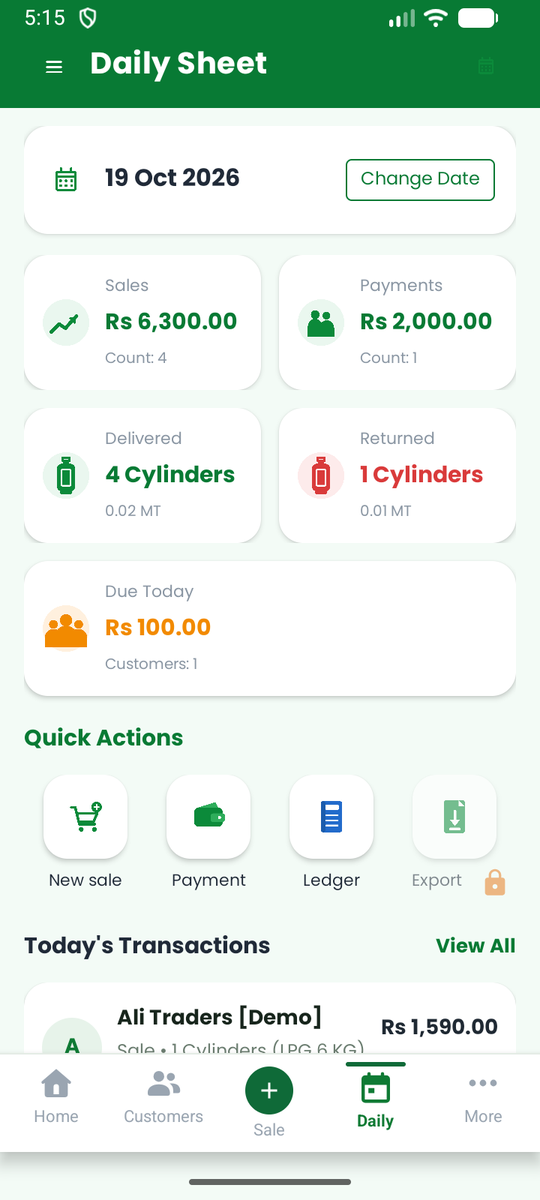
Use Change Date to look at another day. On the Pro plan you can open full reports for the day and share them.
Close the day
At the end of the day, use Close Day to check your cash.
- Open the Daily sheet and tap Close Day.
- Count the cash in your drawer and type it in.
- The app shows the expected cash and the difference (variance). Add a note if there is a difference.
- Confirm.
A closed day is locked so the numbers cannot be changed by accident. The next day starts with the cash you counted as its opening cash.
Tip: Closing the day every evening takes a minute and shows you right away if something was missed or entered wrongly.
On the web
The web app has a Day report for any date and a list of your Day closes, with opening, expected and counted cash and the difference for each day. See The web app.