
Customers
A customer is anyone you sell to. Every customer has a ledger: a running list of their sales and payments, what they owe, and how many of your cylinders they hold.
Add a customer
- Open Customers and tap the add button.
- Fill in:
- Name (required) and phone number. The phone number is used for WhatsApp reminders.
- Address or area.
- Customer type. Choose Regular or Wholesale. This decides which price is used for the customer (see Selling).
- Credit limit (optional). The app warns you when a sale would take the customer over it.
- Opening balance. What the customer already owed you before you started using the app.
- Opening cylinders. How many of your cylinders they already hold.
- Save.
Tip: Enter opening balances once, when you add the customer. After that, balances are worked out from sales and payments. Do not edit them to "fix" a total. Record a payment instead.
Find a customer
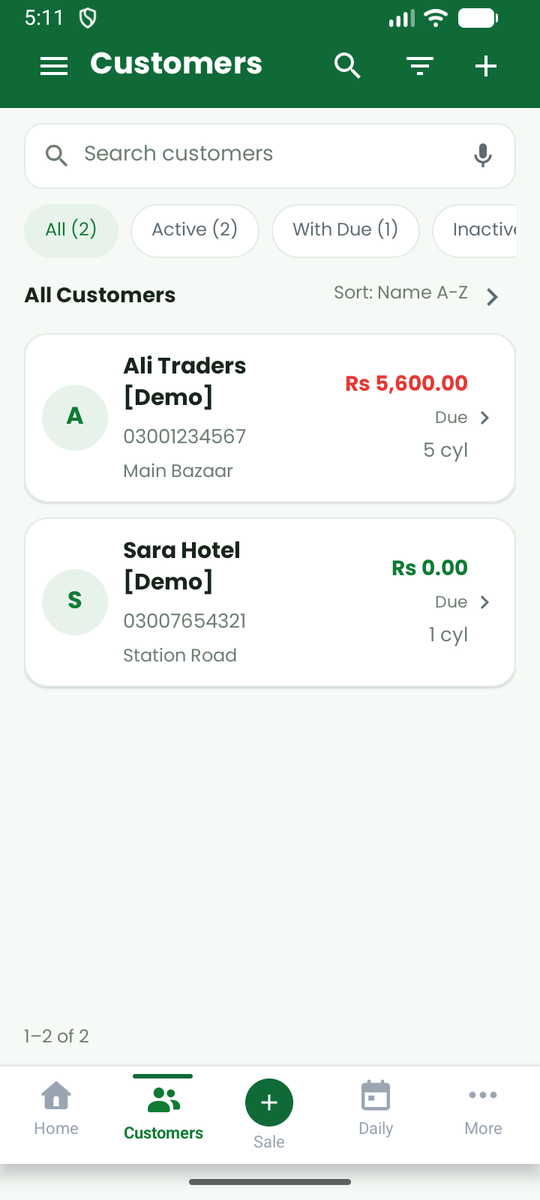
Use the search box at the top of the list. You can type part of a name, a phone number or an area. The chips All, Active, With Due and Inactive narrow the list, and Sort changes the order (for example Name A-Z).
A customer's page
Tap a customer to see:
- What they owe and how many cylinders they hold.
- Four tabs: Overview, Sales History, Payments and Notes.
- Call and WhatsApp buttons, and a pencil to edit the details.
- A ⋯ menu with New sale, Empties back, Add Note, Share Statement, Mark Inactive and Delete customer.
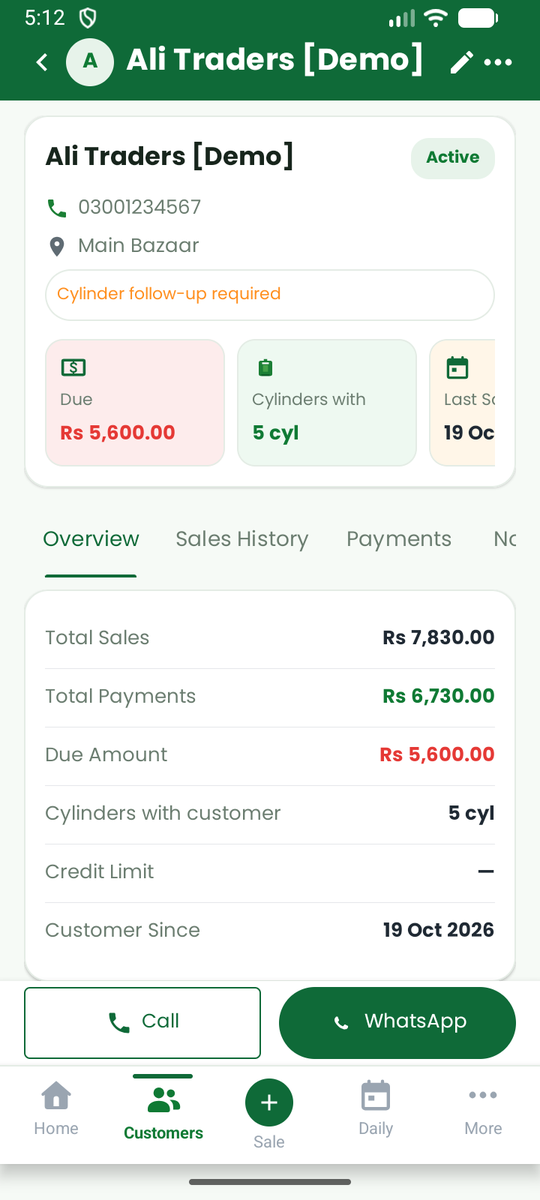
Tap an entry in the history to see its details, and to edit or void it. To collect money use Collect payment in the menu (see Payments and returns).
Change a customer
Open the customer and tap the pencil. You can change the name, phone, address, type and credit limit at any time. Changing the type changes the price offered on future sales only. Past sales keep the price they were made at.
Inactive customers and deleting
- Mark Inactive hides a customer from new sales but keeps all their history and balance. Use this for customers who have stopped buying.
- Delete is available only for a customer with no sales and no opening balance. Otherwise the app asks you to make them inactive, so your records stay complete.
Customers on the web
The web app shows the same customers. You can search them, sort the list by name, amount owed or cylinders held, filter to those who owe or hold cylinders, and export the list to a CSV file that opens in Excel. See The web app.