
The Home screen
Home is your shop at a glance. It opens every time you start the app.
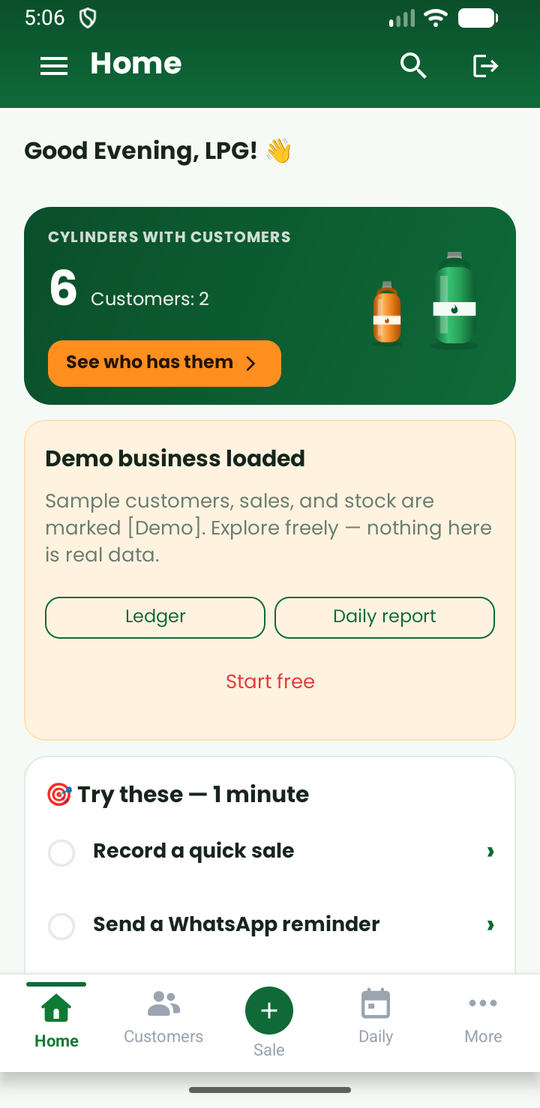
What you see
- Cylinders with customers. The big green card shows how many of your cylinders are out with customers and how many customers hold them. Tap See who has them for the list, with a reminder button for each customer.
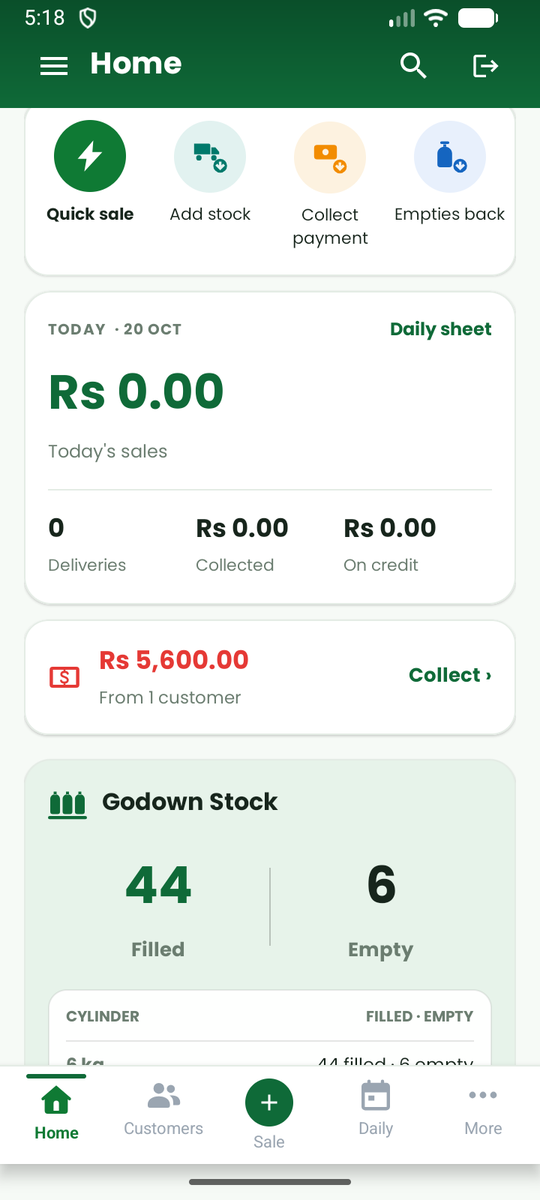
- Today. Today's sales, deliveries, money collected and what went on credit, with a link to the Daily sheet.
- Outstanding. The total owed to you and by how many customers. Tap it to collect a payment. When nobody owes you anything, it says so.
- Godown Stock. Filled and empty cylinders you have, with a table by size. A warning appears here when filled stock falls to your low-stock level.
- Quick actions. A row of shortcuts: Quick sale, Add stock, Collect payment and Empties back.
- A tip for the day. One short tip. You can ask for another or hide it until tomorrow.
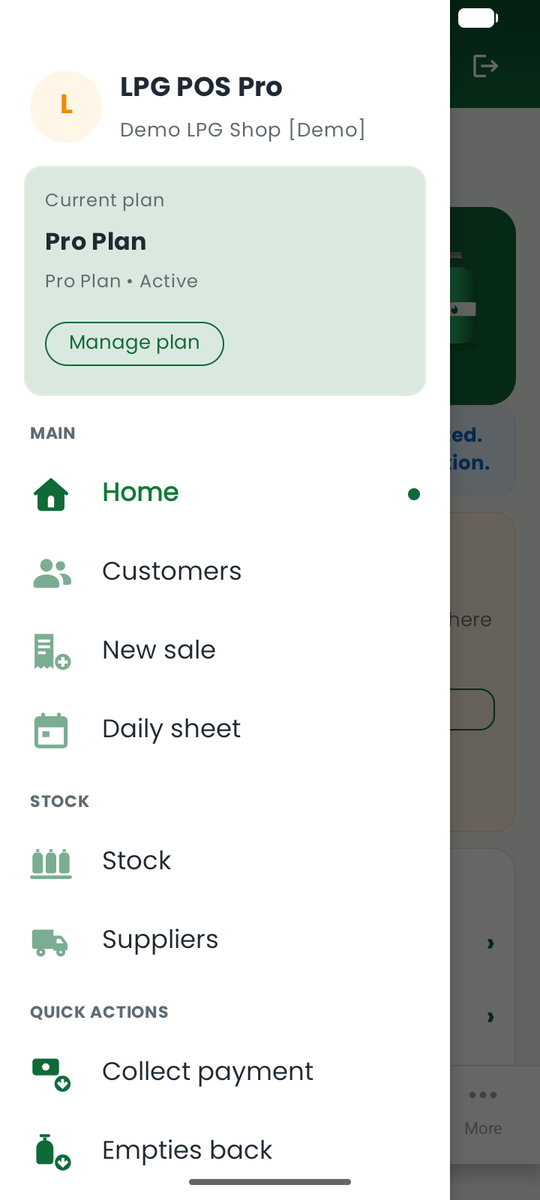
- Your plan. The card in the menu shows your plan, and how many trial days are left if you are on a trial.
Moving around
The bottom bar has five places:
| Button | What it opens |
|---|---|
| Home | This screen |
| Customers | Your customer list |
| + Sale | A new sale |
| Daily | The daily sheet |
| More | The menu |
Tap the menu icon at the top left to open the full menu: Home, Customers, New sale, Daily sheet, Stock, Suppliers, Quick actions (Collect payment, Empties back, Quick sale, Expenses) and More (Reports, Help, Share this app, Web portal, Support, Settings, Sign out).
The Offline badge
If you see Offline, the phone has no internet. Keep working. Your changes are kept on the phone and sync when you are online again.
Locked features
Some features show a small lock and Pro. That means they need a Pro plan (see Plans and subscriptions). Everything else works on the free plan.